What this app actually does
Most diet apps hand you a number and leave you to it. This one behaves like a coach: it works out your numbers from your own body and lifestyle, then it keeps adjusting them based on what really happens week to week.
- Calories — what you eat
- Steps — how much you move
- Training — the sessions you get done
That’s it. No weighing broccoli to the gram, no logging every ingredient.
Step 1 — Getting set up
Create an account with your email and a password. Because your data lives in the cloud rather than on one phone, you can log in on your phone, your laptop, or a tablet and pick up exactly where you left off.
Then the coach asks you a few questions in a chat — your age, height, current weight, how active your job is, roughly how many steps you already do, which days of the week you’re free to train, and where you’d like to get to.
A few things worth knowing as you go through:
- On the training days question, tick every day you’re available — not just the days you plan to train. You don’t have to train on all of them. It just gives the coach room to work with.
- You won’t be asked what you currently eat. The coach estimates your maintenance calories from your stats instead, and then corrects that estimate from your real results over the following weeks. It gets more accurate the longer you use it.
- You’ll be asked to confirm your goal. If you’ve put in a goal weight lower than your current one, it’ll assume fat loss — but you can override it if you’re actually after muscle gain or just maintaining.
- Add any events you already know about — a wedding, a holiday, a birthday meal. There’s a date picker for these. The coach uses them later to plan around the days you don’t want to be counting.
- Pick your check-in day. This is the day of the week your programme starts and the day you’ll do your weekly review from then on.

Your programme starts on that check-in day, not the day you sign up. So if you set everything up on a Saturday and choose Monday, you get a two-day “head start”. Use it — log some food, get used to the routine, no pressure. Those days don’t count against your first week.
Step 2 — Logging your food
Tap Log Food whenever you eat something. You enter two numbers: calories and protein in grams.
Where do you find those? Most of the time, straight off the packaging.
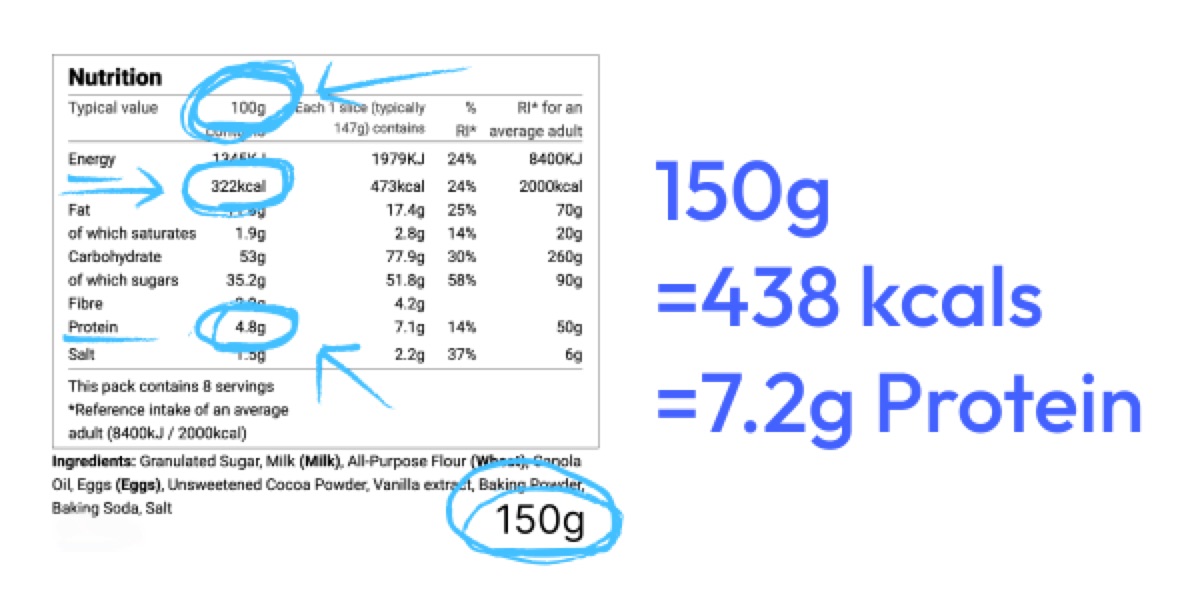
For anything without a label — a restaurant meal, something you cooked — just estimate. Genuinely. A rough number logged every day beats a perfect number logged twice a week. The weekly review smooths out your guesses anyway.
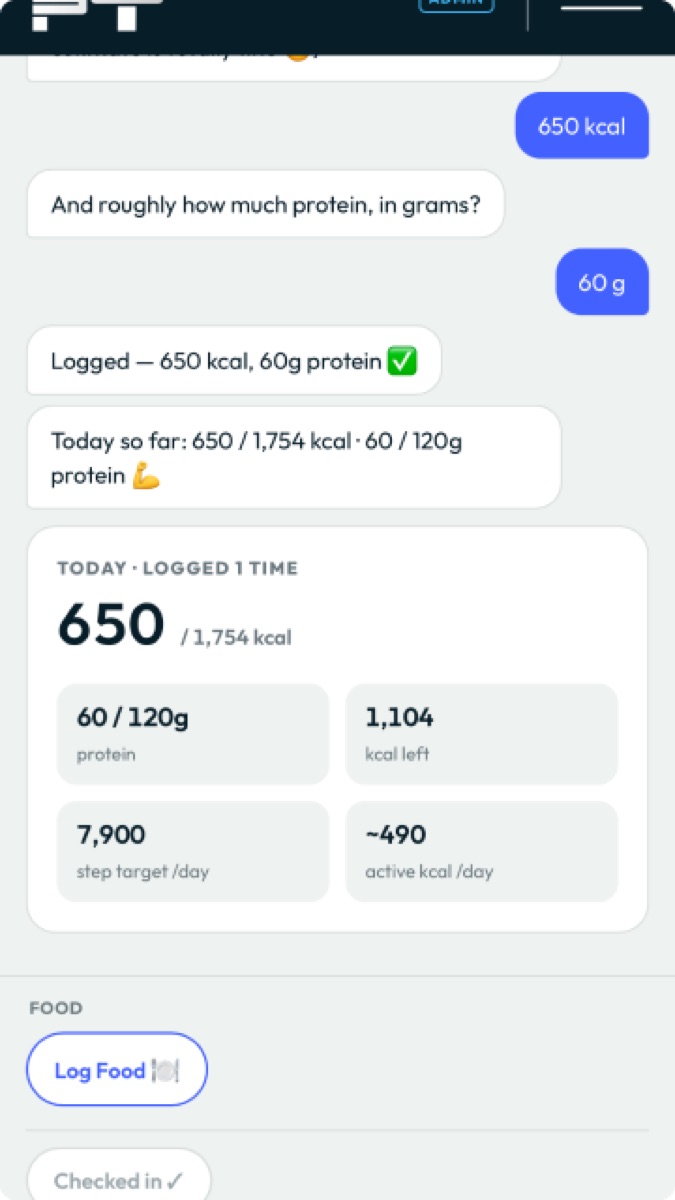
Log as you go through the day rather than trying to remember it all at bedtime. The home screen shows a running total, so you can always see what you’ve got left to play with.
Step 3 — Your daily check-in
Once a day, tap Check in. This takes under a minute.
Important: the check-in looks at yesterday, not today. Today is still going — you can’t review it yet. So the check-in asks you to:
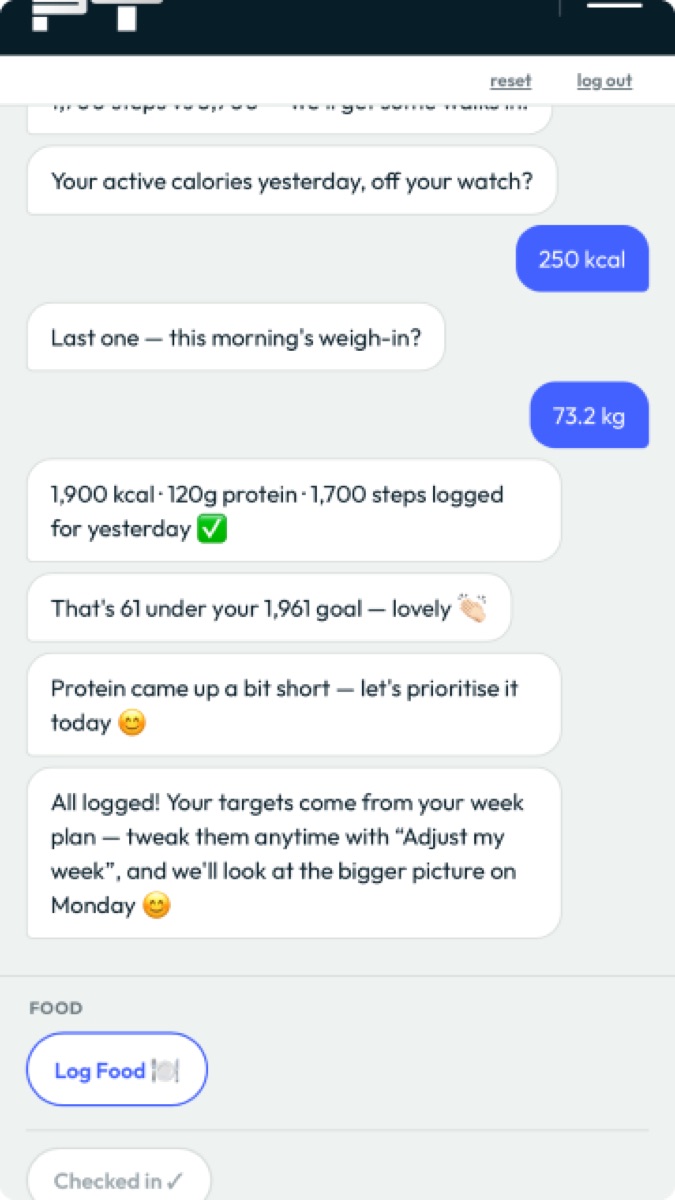
- Confirm (or correct) yesterday’s calories and protein — both come pre-filled from what you logged, so usually you just tap to confirm
- Enter yesterday’s steps
- Enter yesterday’s active calories (from a watch or fitness tracker, if you use one)
- Enter this morning’s weight
On weighing yourself: do it first thing in the morning, before eating or drinking, after the loo, wearing roughly the same thing each time. Your weight will bounce around by a kilo or two day to day — that’s water, food in transit and hormones, not fat. Don’t read anything into a single reading. The coach only uses the weekly trend.
The daily check-in never changes your targets. It’s just recording what happened. All the adjusting happens weekly, which is the point — chasing daily noise is how people end up cutting calories they didn’t need to cut.
Step 4 — Planning your week
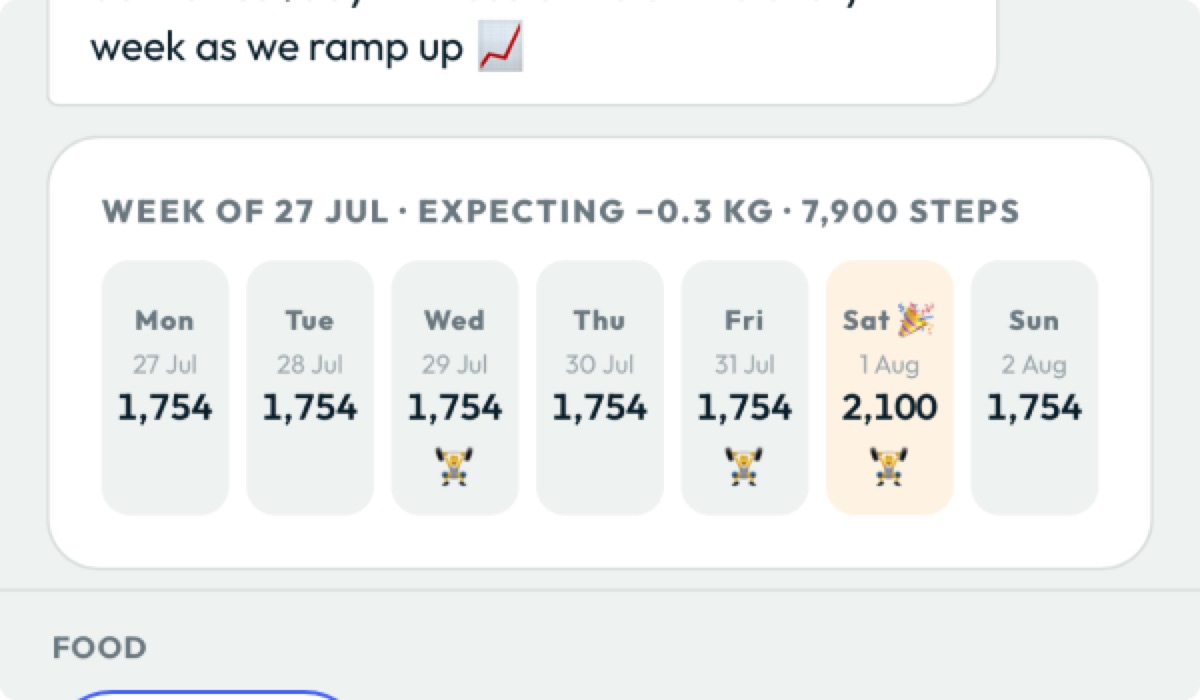
Once a week, tap Plan my week. You confirm which days you’ll train and which days are event days — days you’d rather just eat normally and enjoy yourself.
The coach then balances your calorie budget across the whole week. Event days get set at roughly maintenance, and the other days tighten slightly to make up for it. Your weekly average — which is what actually drives results — lands in the same place.
Two useful things to know:
- Any events you entered during setup get selected automatically if they fall in that week. You can always add or remove more.
- If you pick fewer training sessions than you’d planned, the coach will nudge you to fit them in. If you genuinely can’t, it bumps your step target up instead to compensate. Nothing is wasted.
You can come back and Adjust my week at any point if plans change.
Step 5 — Your weekly review
On your check-in day, tap Weekly review. This is where the real work happens.
The coach averages out everything you logged — calories, steps, weight — and compares it to what it expected. From that, it works out what your body’s actual energy needs are, rather than what a textbook formula predicted, and sets your targets for the coming week accordingly.
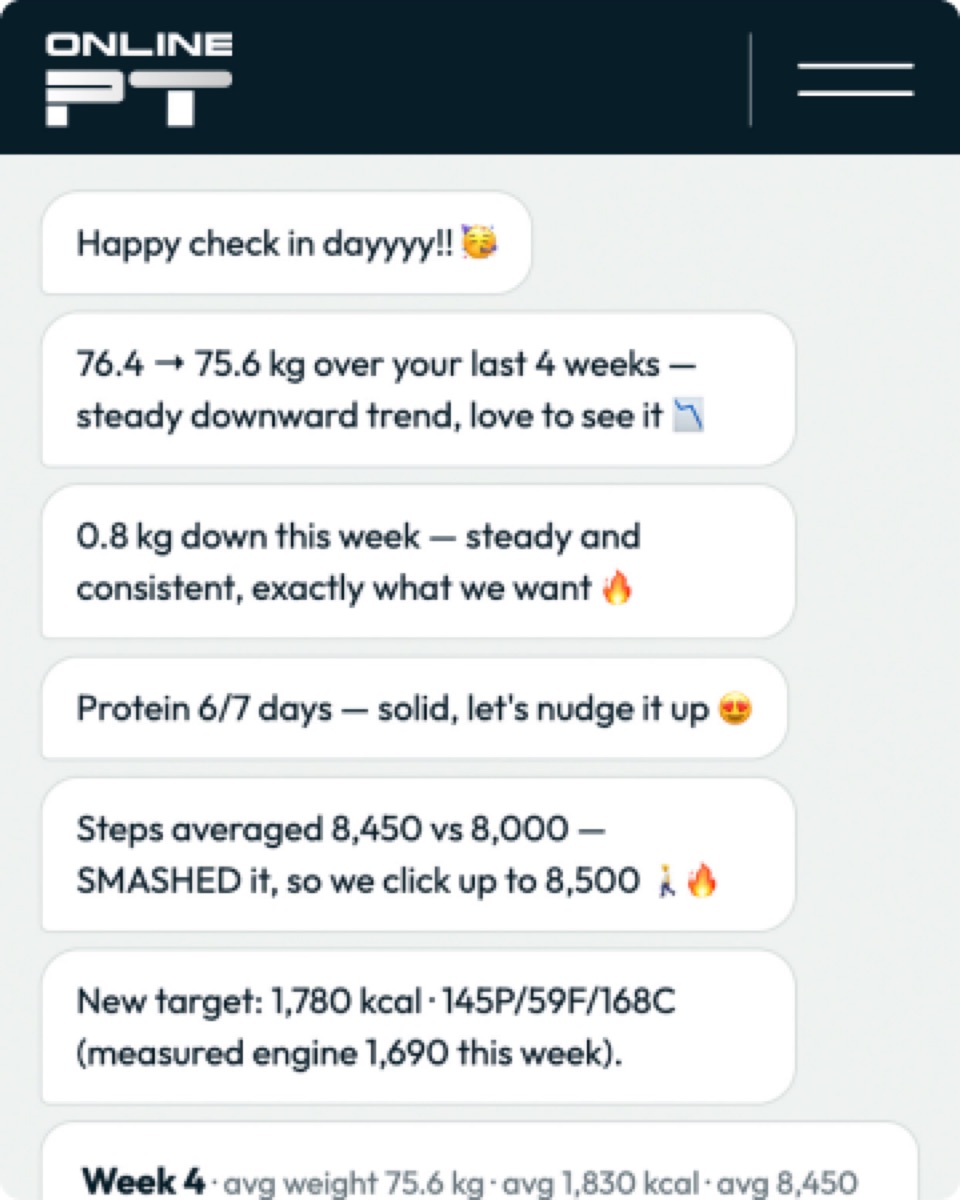
If you missed some check-ins, those days get counted honestly as maintenance days rather than quietly ignored. It’s not there to flatter you — it’s there to be accurate.
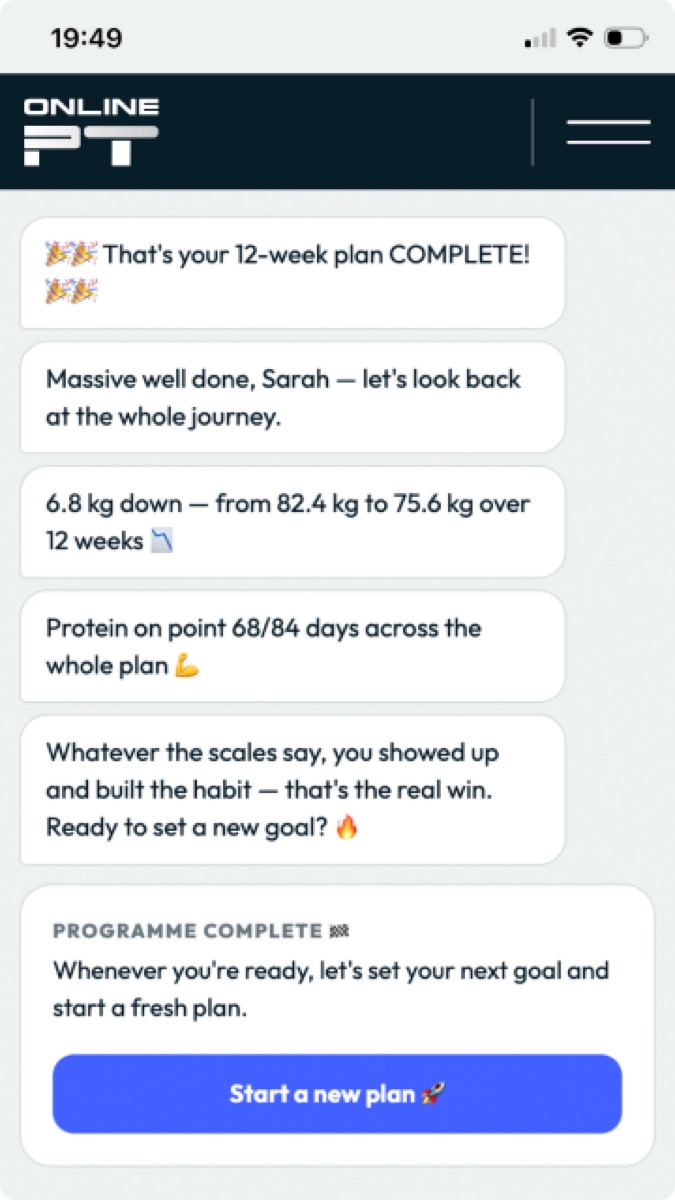
At the end of your programme, you get a full round-up: total weight change, protein consistency across every week, the lot. Then you can start a fresh plan with everything you’ve learned baked in.
The short version
| Do this | How often |
|---|---|
| Log your food | As you eat |
| Daily check-in | Once a day |
| Plan your week | Once a week |
| Weekly review | Once a week, on your check-in day |
And the four habits that actually decide whether this works:
- Log something every day, even if it’s a guess.
- Weigh in consistently — same time, same conditions.
- Hit your protein. It’s the target most people miss, and it’s the one that protects your muscle while you lose fat.
- Don’t panic about one bad day. The coach works in weekly averages precisely so one bad day doesn’t matter. Log it honestly and move on.